(1) Contact Medicare.
If you would like to check on the status of your Medicare Part D plan enrollment online, you can log into your https://myMedicare.gov account or call a Medicare representative at 1-800-Medicare (1-800-633-4227).
(2) Work with your pharmacy to run a test claim.
You can ask your pharmacy to check the status of your Medicare Part D enrollment by sending a test claim.
Click here for the pharmacy test claim FAQ
(3) Contact your chosen Medicare plan
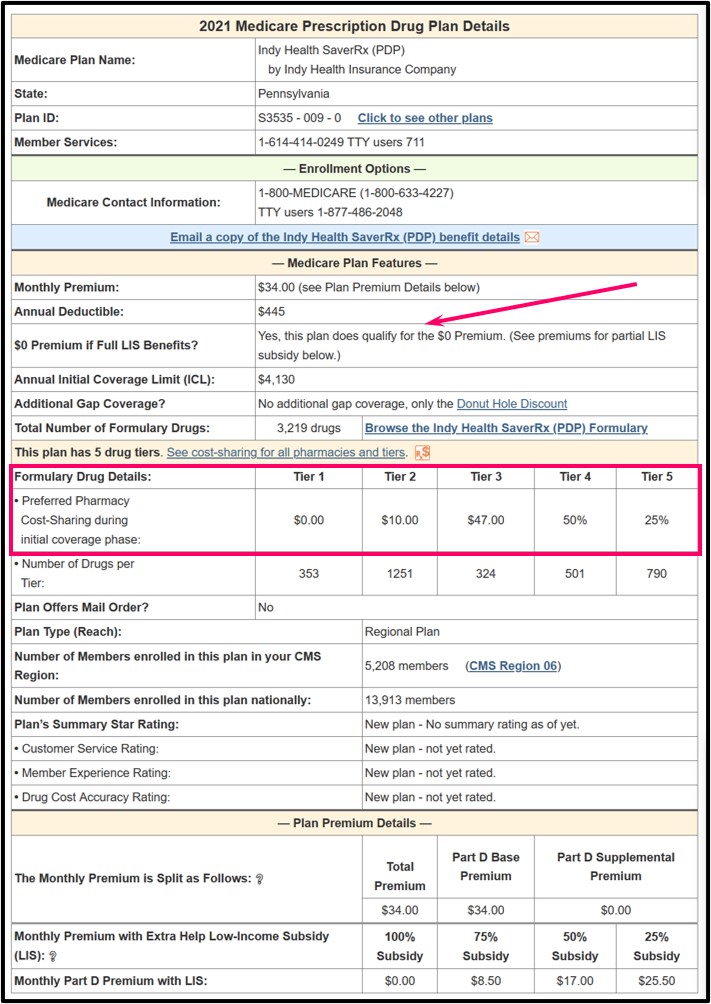
You can also call the Member Services department of your chosen Medicare Advantage or Medicare Part D plan. The telephone number is on the back of a Member ID card and on most company communications. You can also find the Member Services telephone number by clicking the plan name or the "Benefits & Contact Info" button on PDP-Finder.com and MA-Finder.com.

Both links will take you to a page showing more Part D plan details such as formulary information (number of drugs per tier), cost-sharing, basic enrollment information, Star ratings, and the toll-free Member Services number for every Medicare Part D plan.