Our PDP-Finder offers Medicare Part D Extra Help information for beneficiaries, advocates and nursing homes who are trying to see which Medicare Part D plans in their state qualify for the $0 monthly premium for Medicare beneficiaries who qualify for the full Low-Income Subsidy. (You can find our PDP-Finder directly at PDP-Finder.com and then just choose the state link at the top of the page.)
If you are just seeking Part D plans that have premiums completely covered by your state’s Low-Income Subsidy, you can narrow your plan search by choosing your state and then the LIS $0 premium option from the search box ("LIS 100%" for Full Low-Income Subsidy).
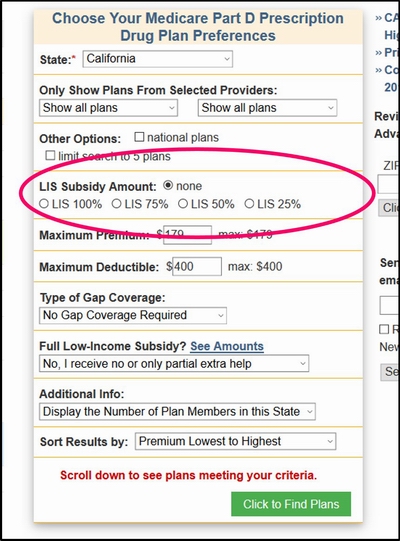
Click here for an example of a Low-Income Subsidy plan search (all Part D plans in California qualifying for $0 premium).
You will see in our Medicare Part D Plan Finder that we have a column showing "$0 Prem. with Full LIS?" and plans that have a $0 premium are indicated with a "Yes" with a green background.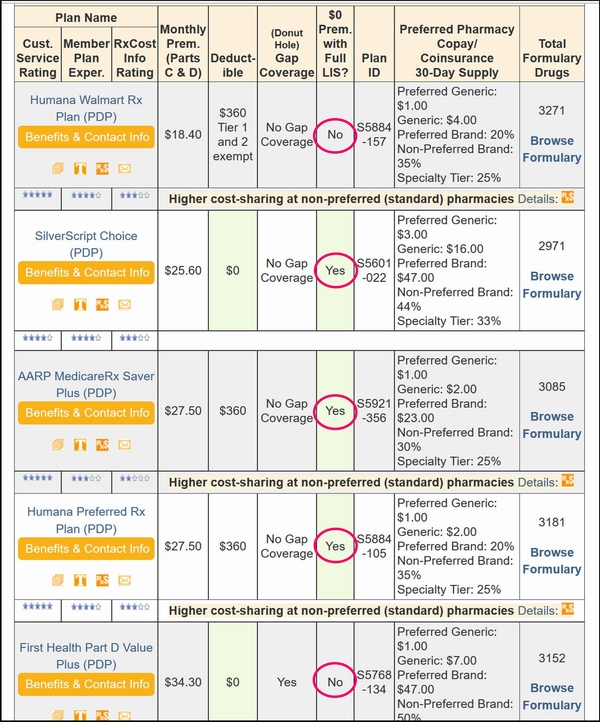
For more information about the premium (and what you would pay for partial (not 100%) Extra Help, you can click on the Medicare Part D plan name and see more details.
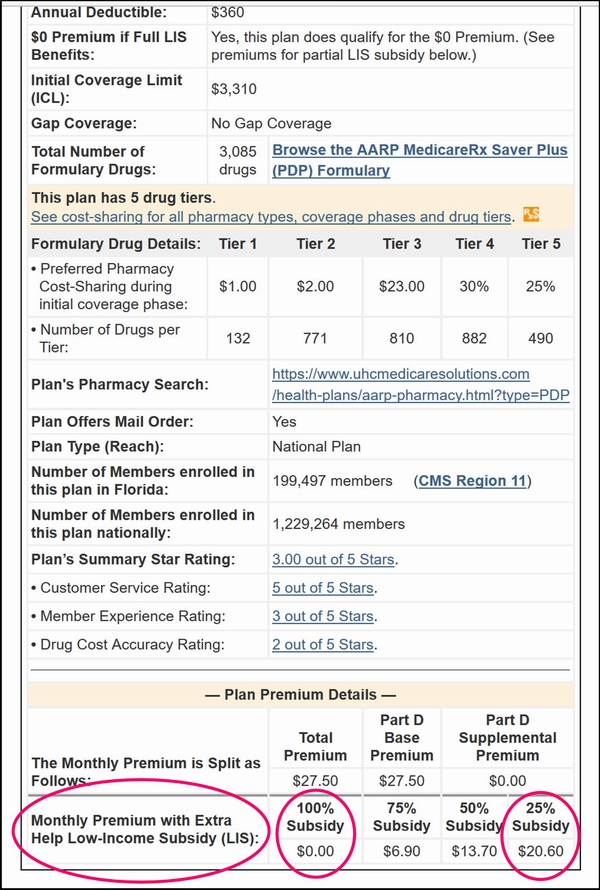
Or you could see.
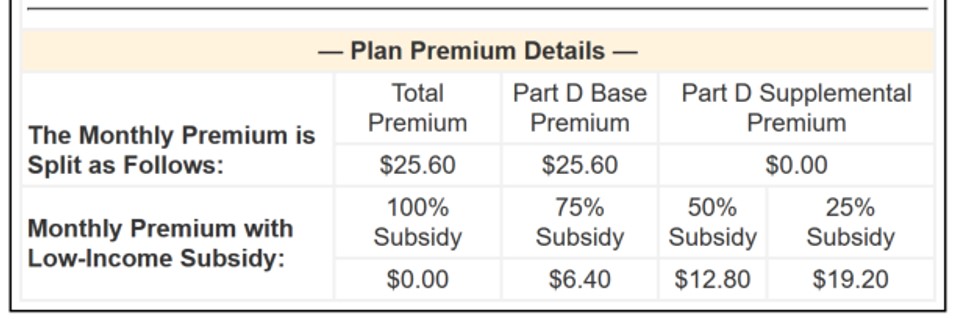
The this site PDP-Finder can be found directly here (Florida example)
on this site